How to Duplicate a Line in VS Code, Notepad++, Sublime and Vim
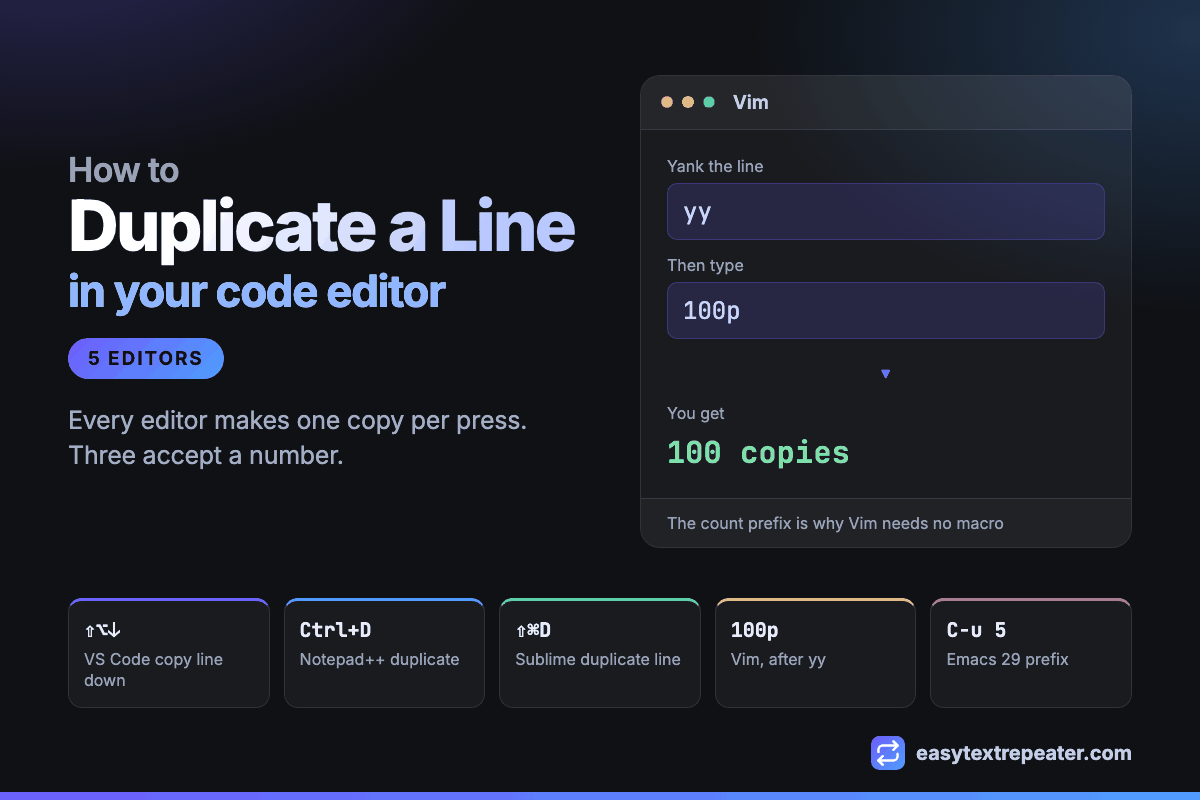
The duplicate-line shortcut is Shift+Alt+Down in VS Code, Ctrl+D in Notepad++, and Ctrl+Shift+D in Sublime Text. Each one makes exactly one copy per press, so ten copies means ten presses. Three editors do better than that and accept a count: Vim takes 100p, Notepad++ has a Run a Macro Multiple Times dialog, and Emacs 29 takes a prefix argument on duplicate-line.
That split — one-press-one-copy versus name-a-number — is the whole subject. Everything below is either a shortcut or a way of avoiding pressing it repeatedly.
The duplicate-line shortcut in each editor
| Editor | Windows / Linux | macOS | Command name |
|---|---|---|---|
| VS Code | Shift+Alt+Down | Shift+Option+Down | Copy Line Down |
| Notepad++ | Ctrl+D | — | Duplicate Current Line |
| Sublime Text | Ctrl+Shift+D | Cmd+Shift+D | Duplicate Line |
| Vim | yy then p | yy then p | yank and put |
| Emacs 29+ | M-x duplicate-line | M-x duplicate-line | duplicate-line |
VS Code's version does not touch the clipboard, so whatever you copied earlier survives. Notepad++ has no macOS build, which is why that cell is empty. Emacs only gained a built-in duplicate-line in version 29 — before that it was C-a C-k C-k C-y C-y or a custom function.
The three that accept a number
Holding a shortcut down is fine for three copies and absurd for three hundred. These are the ways to state the count instead.
Vim: put the number in front
Vim's count prefix applies to almost every command, and putting it in front of a paste repeats the paste. Yank the line once, then paste it as many times as you want:
yythen100p
That gives 100 copies in six keystrokes with no macro and no plugin. The same prefix works in insert mode for a literal string — 100i, then ab, then Esc types ab a hundred times, which is the closest thing any editor has to a repeat function.
Notepad++: record a macro, then give it a count
Notepad++ is the only one of these with a dialog built for exactly this.
- Put the text on a line and copy it.
- Go to Macro, then Start Recording.
- Paste once.
- Go to Macro, then Stop Recording.
- Go to Macro, then Run a Macro Multiple Times, and enter your number.
The same dialog offers to run until the end of the file, which is useful when the operation is a transformation of existing lines rather than a repetition of one.
Emacs: a prefix argument
In Emacs 29 and later, duplicate-line respects the universal argument, so C-u 5 M-x duplicate-line produces five copies. For a keyboard macro the same idea applies: record with F3 and F4, then run it a hundred times with C-u 100 F4.
Multi-cursor is a different tool
Multiple cursors get suggested for this constantly, and they solve the opposite problem. They are for making one edit in many places, not many copies of one thing.
| Editor | Cursor below | At every match |
|---|---|---|
| VS Code | Ctrl+Alt+Down | Ctrl+Shift+L |
| Sublime Text | Ctrl+Alt+Down | Alt+F3 |
| Notepad++ | Ctrl+Alt+Click | Column mode with Alt+Drag |
If the lines already exist and you want to change all of them, this is the right tool. If the lines do not exist yet, adding cursors does not create them.
What none of them do
Three limitations are shared across every editor on this page, and they are the reason people end up looking for something else.
- No separator control. Duplicating a line always produces one copy per line. Comma-separated or space-separated copies on a single line is not what any of these commands do.
- No count without a macro. Outside Vim and Emacs, naming a number means recording something first.
- No character count. None of them tell you how long the result is, which matters when you are producing a string of a specific length — the subject of testing character limits with repeated text.
If the repetition belongs inside a program rather than in your editor, the one-line expression for it exists in every language — see how to repeat a string N times in code.
Need an exact count, or copies on one line? Set the text, the number and the separator, then paste the finished block back into your editor.
Frequently asked questions
How do you duplicate a line in VS Code?
Press Shift+Alt+Down on Windows and Linux, or Shift+Option+Down on macOS. The command is Copy Line Down, and it does not use the clipboard, so anything you copied earlier is preserved. Each press makes one copy.
How do you duplicate a line in Notepad++?
Press Ctrl+D, which runs Duplicate Current Line. For a specific number of copies, record a macro that pastes once, then use Macro then Run a Macro Multiple Times and enter the count.
How do you repeat a line 100 times in Vim?
Yank the line with yy, then type 100p. Vim's count prefix repeats the paste, so this produces 100 copies without a macro or a plugin. In insert mode the same prefix works on typed text: 100i, then the text, then Esc.
Can you duplicate a line multiple times in one command?
In Vim and in Emacs 29 or later, yes: Vim takes a count prefix such as 100p, and Emacs accepts a universal argument such as C-u 5 M-x duplicate-line. VS Code and Sublime Text have no count, so each copy is a separate press unless you record a macro.
Is multi-cursor the same as duplicating a line?
No. Multiple cursors apply one edit across lines that already exist, using Ctrl+Alt+Down in VS Code and Sublime Text. They do not create new lines, so they cannot produce copies of a line that is not there yet.
How do you put repeated copies on one line instead of separate lines?
No duplicate-line command does this, because each duplicate goes onto its own line. Either join the lines afterwards with a Find and Replace on the newline character, or generate the repeated text with a separator already between the copies and paste it in.